In 2026, elevator integration is less about adding another dashboard and more about making building operations respond intelligently. The International Energy Agency reports that buildings account for about 30% of global final energy consumption and 26% of energy-related emissions. Those figures make coordination between lifts, ventilation, access control, and power systems a practical efficiency concern—not a cosmetic upgrade.
So, How to integrate elevator controls with building management systems? Start with clear boundaries. A BMS can monitor elevator availability, operating status, alarms, and energy data through an approved interface, such as a BACnet/IP gateway. The elevator controller should retain its own safety functions. Fire recall and other life-safety sequences need careful coordination, testing, and documentation. A live dashboard is useful. It is not proof that the whole sequence works.
Elevator historian and industry scholar Dr. Lee Gray’s work offers a useful systems perspective. A practical paraphrase—not a verbatim quotation—is: “Connect for visibility; keep safety logic local.” That distinction matters when a technician reviews an alarm at a BMS workstation while the lift’s controller manages movement independently.
A good project begins with a point list, interface review, and witnessed tests. Record what the BMS may read, what it may command, and what happens during communication loss. Small details matter: a stale “available” signal can mislead a facilities team. Integration can improve visibility, but it can also create new assumptions. Check them.
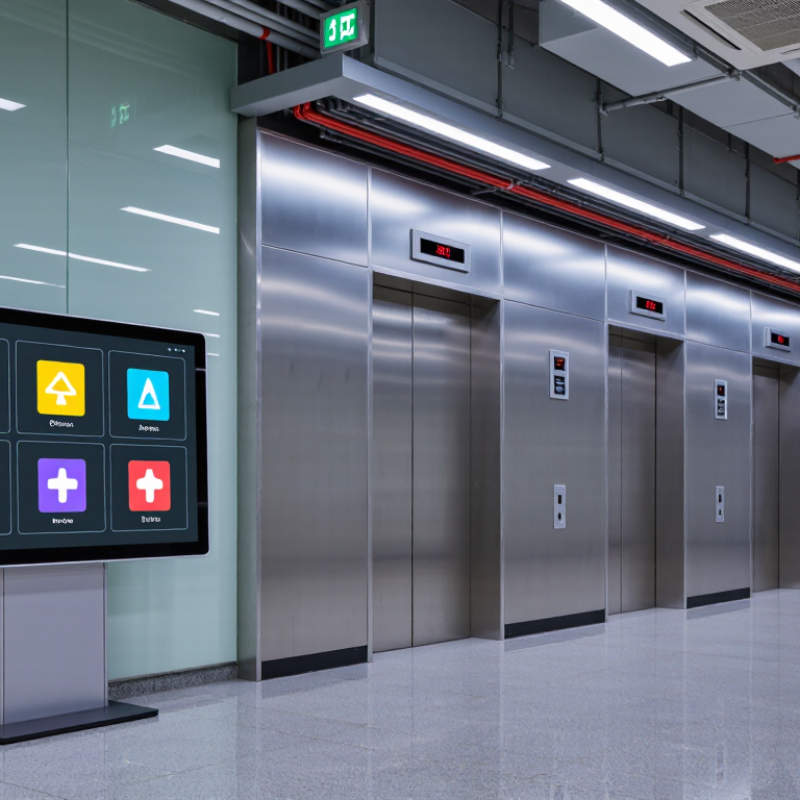
How to Integrate Elevator Controls with BMS in 2026?
Define Integration Scope Using ANSI/ASHRAE 135 and ISO 8100-1
Set the interface boundary before selecting points. ANSI/ASHRAE 135 defines BACnet communication, including services and data objects that can support BMS monitoring. It does not define elevator safety requirements or guarantee that every controller exposes the same data. Agree on a point list with the elevator contractor: car position, operating status, availability, and non-safety alarms are common candidates. Specify update rates, alarm priorities, and what happens when communication fails. A tidy point list can still hide a gap.
Use ISO 8100-1 for its proper purpose: safety rules for the construction and installation of lifts. It is not a BMS integration protocol. Keep safety circuits, door interlocks, and protective functions within the elevator’s approved control system. Treat BMS commands cautiously; limit them to functions explicitly permitted by the elevator design and applicable project requirements. Confirm responsibilities, testing steps, and documentation with qualified elevator and controls professionals. Details matter here.
Tips: Start with read-only monitoring. Test normal travel, alarm reporting, and network loss before enabling any approved commands. Record each result. Recheck the scope when the design changes.
Practical scope matrix for defining elevator-to-building-management-system (BMS) interfaces. Confirm applicable editions, local codes, and the elevator system’s approved interface documentation for each project.
| Scope area | Example information or function | BMS integration approach | Standards context | Boundary or verification |
|---|---|---|---|---|
| Integration boundary | Read-only status and alarms; any permitted supervisory functions are separately identified. | Use an elevator-system-provided, documented interface or an approved gateway. List every exchanged point and its direction. | ANSI/ASHRAE 135 defines BACnet, a communication protocol for building automation and control networks. | The BMS interface must not bypass elevator safety circuits or replace elevator-controller safety functions. |
| Equipment and topology | Site, elevator group, car identifier, served floors, controller or gateway communication path. | Create a point and device inventory with unique identifiers, floor labels, units, and interface ownership. | BACnet defines network communication and object concepts; the project must document how the installed system exposes its data. | Confirm the installed controller and gateway support the selected protocol and required data before design approval. |
| Operational status | In service, out of service, inspection or maintenance mode where available, and communication health. | Expose clearly named status values with defined states, update behavior, and stale-data indication. | ANSI/ASHRAE 135 provides protocol mechanisms; specific point names and availability depend on the elevator interface implementation. | Agree on state definitions with the elevator supplier and test each state using an approved procedure. |
| Position and movement | Current floor or landing, travel direction, and movement state when provided by the interface. | Map values to documented BACnet objects or gateway points, including floor-label mapping and invalid-value handling. | BACnet can carry application data; the chosen object model and available elevator-related data must be confirmed for the actual implementation. | Do not infer precise position or motion from an undocumented signal. Verify values across all served floors and operating states. |
| Alarms and events | Elevator fault, entrapment-related indication where available, overload indication, and alarm reset or return-to-service status. | Define alarm text, priority, timestamps, normal state, latching behavior, and acknowledgement responsibilities. | ANSI/ASHRAE 135 includes mechanisms for communicating data and events; project alarm meaning and workflow require explicit configuration. | A BMS alarm is supplementary monitoring and must not be treated as a substitute for required elevator emergency communication or response procedures. |
| Energy and usage data | Energy consumption or operational counts only when measured and made available by the elevator system. | Record units, meter source, interval, reset behavior, and whether values are instantaneous, cumulative, or estimated. | BACnet supports data exchange, but it does not guarantee that a particular elevator provides energy or usage measurements. | Identify whether values are measured or calculated; do not present unavailable data as measured performance. |
| Commands and supervisory control | Only explicitly approved, non-safety supervisory commands, if the elevator interface supports them. | Document command authorization, permitted operating conditions, priority, timeout, feedback, and failure behavior. | ANSI/ASHRAE 135 provides communication services, not permission to control a particular elevator function. | Do not issue dispatch, door, inspection, emergency, or other safety-related commands unless specifically permitted by applicable codes and approved system documentation. |
| Safety and code coordination | Clear separation between BMS monitoring and elevator safety-related equipment and operating functions. | Keep the interface within the documented elevator control boundary and coordinate changes with qualified elevator personnel. | ISO 8100-1 sets safety rules for the construction and installation of lifts; it is not a BMS data-point or BACnet mapping standard. | Check the applicable ISO edition, national adoption, amendments, and local elevator regulations for the project jurisdiction. |
| Network and cybersecurity | Network segmentation, access control, approved ports and services, time synchronization, and communication-loss behavior. | Document the network path, device identity, credentials management, monitoring, and responsibility for updates. | ANSI/ASHRAE 135 specifies BACnet communication behavior; deployment security depends on the selected BACnet capabilities and the project’s network controls. | Use a reviewed security design and test that network loss or gateway failure cannot compromise elevator safety operation. |
| Acceptance and maintenance | Point-to-point results, alarm tests, value and unit checks, communications-loss test, and final point schedule. | Maintain a signed interface register showing source, destination, object or point identifier, units, normal state, and test result. | Protocol conformance and life-safety compliance are separate verification matters; neither should be assumed from a successful data connection alone. | Test with approved procedures, retain records, and define who owns troubleshooting after handover. |
Track status, floor, direction, faults, and alarms. These points give operators a practical view of elevator activity.
No. Keep safety-critical logic in the elevator controller. The BMS should monitor, not replace it.
Ground floors, mezzanines, and skipped levels can use different labels. Compare each BMS reading with the elevator display.
No. A fault describes an equipment issue; an alarm signals a condition needing attention. Keep their meanings distinct.
Compare readings during idle, travel, and door-open states. Check labels, units, timestamps, and valid values. A neat screen can still be wrong.
Place it in a restricted network zone. Allow only necessary communications, use individual maintenance accounts, and log configuration changes.
Use approved test conditions. Confirm each alarm reaches the correct screen with accurate text, priority, and time.
Simulate an approved network interruption or server restart. Check that local elevator operation stays stable and communication status becomes clear.
Record expected and observed values for every point and alarm. Note unclear states. Some mappings may need another careful review.
Integrating elevator controls with a building management system (BMS) starts with a clear scope. Define which information the BMS needs and how it may be used, while aligning the integration boundary with ANSI/ASHRAE 135 and ISO 8100-1. To connect the systems, choose an interface suited to the project’s existing infrastructure and security requirements: BACnet, Modbus, or a secure API. Keep the data exchange focused on operational visibility rather than control functions that fall outside the agreed scope.
How to integrate elevator controls with building management systems? Map five essential points consistently: elevator status, current floor, direction of travel, fault condition, and alarm. Protect the gateway that links the elevator system and BMS by applying IEC 62443’s four security levels to guide appropriate safeguards. Before handover, commission the integration with three practical checks: confirm point accuracy against the elevator display, verify that alarms reach the intended BMS destination, and test failover behavior. Documenting these results helps operators understand what the integration reports and how it behaves when communication is interrupted.

 DHI Lift